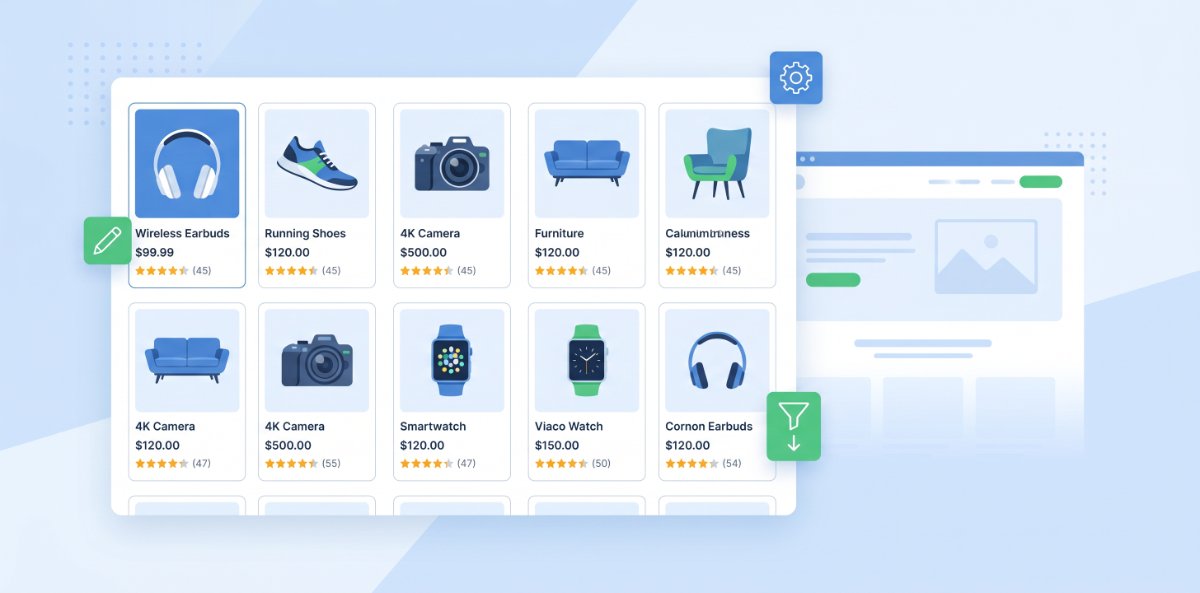
For e‑commerce brands, the classic “homepage → category → product page” journey is disappearing. On Google Shopping, Performance Max, Meta, and marketplaces, buyers often never see your site until they are seconds away from purchasing. What they see first is not your landing page, but your product feed: the titles, images, descriptions, and attributes you send into these platforms. In practice, that feed now behaves like a giant, distributed landing page you do not fully control.
This post explains why your feed is so critical and how to treat it with the same care you give to your best‑performing landing pages.
The new first impression happens inside other platforms
When a shopper searches on Google, scrolls Meta, or browses a marketplace, they see product tiles, carousels, and recommendation units powered by your feed. At that moment they do not see your beautiful site design or carefully written copy. They see:
- A title truncated to a handful of characters
- One main image (maybe two)
- A price, rating, and availability flag
- Sometimes a short description or promotion snippet
That tiny set of fields does the job your landing page used to do: it earns the click. If those fields are vague, mismatched, or unhelpful, the click goes to a competitor whose feed entry tells a clearer story in the same small space.
Titles now do the work of headlines
On your own site, you can use long headlines, supporting subheads, and rich visuals. In feeds, the product title often carries most of that load.
A weak title:
“Running Shoes Model X”
A strong, feed‑ready title:
“Brand X Men’s Road Running Shoes - Wide Fit - Black - UK 10”
The second title:
- Mirrors how users search (“men’s road running shoes”, “wide fit”, “UK 10”).
- Filters the right buyers (men, road, wide fit, size).
- Reduces irrelevant clicks that waste budget and create frustration.
Treat every feed title like a micro‑headline. It should communicate what the product is, who it is for, and what makes it different in a very tight space.
Images are your above‑the‑fold real estate
On a landing page, you obsess over hero images and photography. In your feed, a single main image often has to do that entire job.
Strong feed images tend to be:
- Clear and well‑lit, with the product easy to understand at a glance
- Cropped sensibly so key details are not tiny or cut off
- Free from busy backgrounds, heavy text, or distracting overlays (which many channels disallow anyway)
If your main image fails the “scroll test” at thumbnail size, your effective click‑through rate and return on ad spend will suffer, no matter how good your website looks once people arrive.
Attributes are your new filters and FAQs
On your site, filters and FAQ sections help people narrow down choices. In feed‑driven environments, product attributes do that job behind the scenes.
Think of attributes like:
- Colour, size, material, gender, age group
- Category and subcategory
- Brand, GTIN, MPN
- Condition, availability, shipping details
Platforms use these to decide when and where to show your products, which filters you appear under, and which search queries you qualify for. If attributes are missing, incorrect, or inconsistent, you effectively disappear from relevant placements, even if your product is perfect for the query.
In other words, attributes are not just “admin fields.” They are the structured version of all the reassurance, clarity, and filtering your landing page used to provide.
Pricing and promotions must be accurate everywhere
On a landing page, a price mismatch is annoying. In a feed‑driven placement, it can be fatal. If the price or availability shown in the ad or marketplace tile does not match the product page, users lose trust and platforms may penalise or limit your exposure.
To avoid that:
- Keep your feed in near real‑time sync with your site’s inventory and pricing.
- Make sure sale prices and regular prices are correctly flagged, so “sale” badges and struck‑through prices appear where they should.
- Avoid sending products that are frequently out of stock unless your sync is extremely tight.
Think of pricing fields the way you think about your main call‑to‑action on a landing page: they must be correct, consistent, and clear at all times.
Descriptions are your truncated body copy
Most channels truncate descriptions aggressively, but that does not make them optional. A strong feed description:
- Leads with the biggest benefit or use case, not a generic manufacturer line.
- Packs key search phrases in naturally, without keyword stuffing.
- Answers the first questions a buyer would ask: “What is it for?”, “Will it fit me/my space?”, “What is included?”
You are effectively writing the top few lines of body copy that can stand alone if a user never scrolls or clicks through.
Custom labels and segmentation are your targeting knobs
On your own site, you might create different landing pages for different audiences or campaigns. In feed management, custom labels and segments perform that role.
Well‑structured feeds can be segmented by:
- Margin band (high, medium, low)
- Performance (best sellers, new arrivals, poor performers)
- Seasonality (summer, winter, holiday, clearance)
- Inventory status (overstocked items to push, limited stock to protect)
These labels let you:
- Build high‑intent “hero” campaigns around your best products
- Lower bids or exclude items that never convert
- Run promotions and seasonal pushes with surgical precision
It is the equivalent of building tailored landing pages for specific campaigns, but you are doing it with data instead of layouts.
Treat feed optimisation like conversion rate optimisation
You would not set up a landing page and never test headlines, images, and CTAs. Your feed deserves the same iterative mindset.
Practical tests include:
- Trying different title patterns (brand‑first vs use‑case‑first) and watching click and conversion metrics.
- Testing main images (product alone vs product in context) where channel rules allow.
- Adjusting attributes and labels based on which queries and segments actually convert.
Each improvement might seem small, but across hundreds or thousands of products, the impact compounds. Your “distributed landing page” becomes sharper, clearer, and more persuasive everywhere it appears.
A quick checklist - is your feed landing-page ready
Use this to assess how seriously you are treating your product feed today:
- Titles clearly state what the product is, who it is for, and key differentiators.
- Main images are clear and compelling at thumbnail size.
- Core attributes (brand, category, size, colour, GTIN, etc.) are complete and consistent.
- Prices and stock levels in the feed always match your site.
- Descriptions lead with benefits and use cases, not just manufacturer fluff.
- Custom labels let you segment by performance, margin, and seasonality.
- You review and optimise feed performance regularly, not just “set and forget.”
If you would be embarrassed to show your raw feed to a human buyer, that is a sign it is not yet doing the job of a landing page. Once you treat it with the same care and intent, every listing, ad unit, and recommendation powered by that feed starts working harder—often long before you touch another pixel on your site.